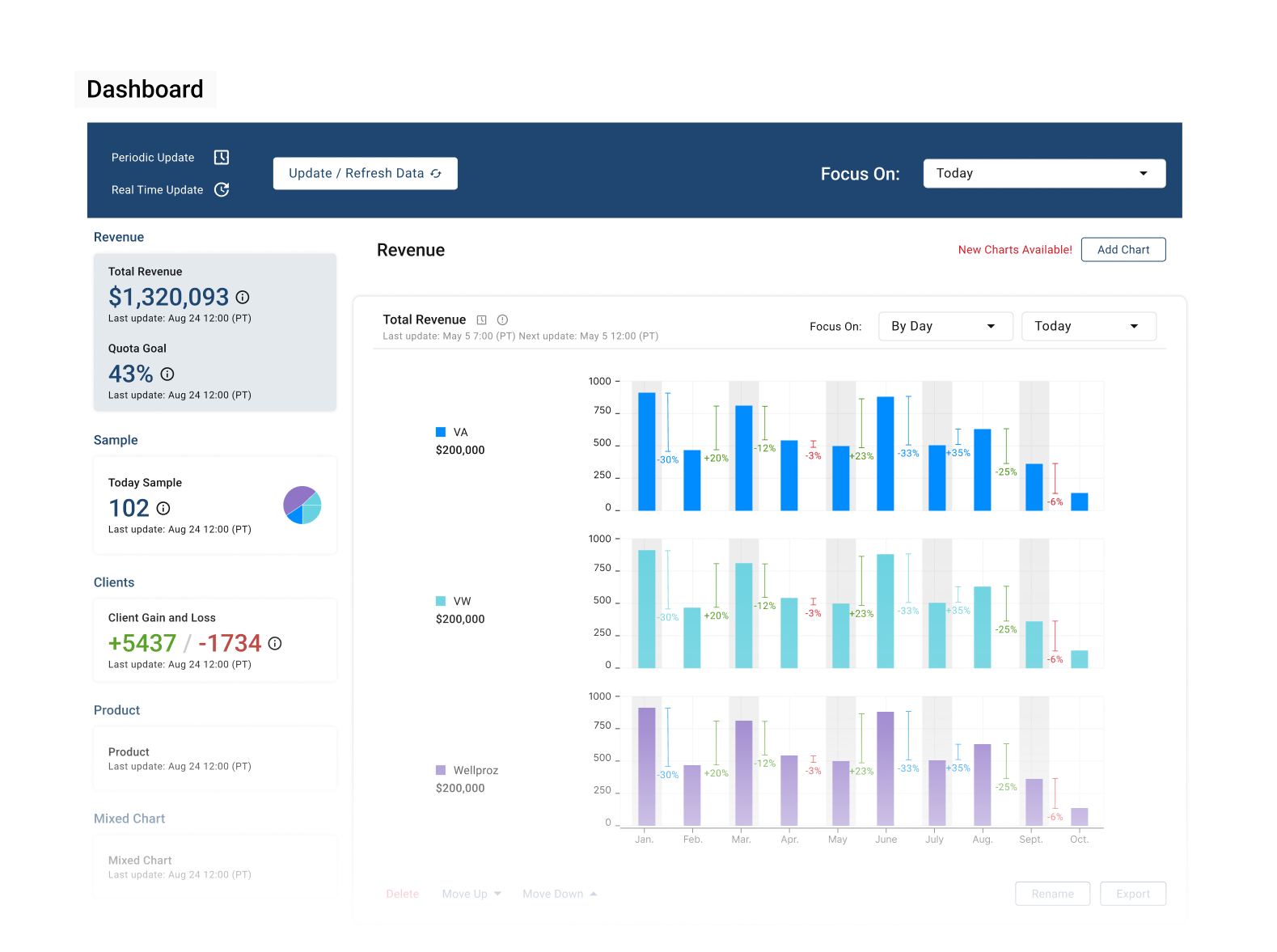
How do you make an invisible team of AI agents feel understandable and trustworthy?
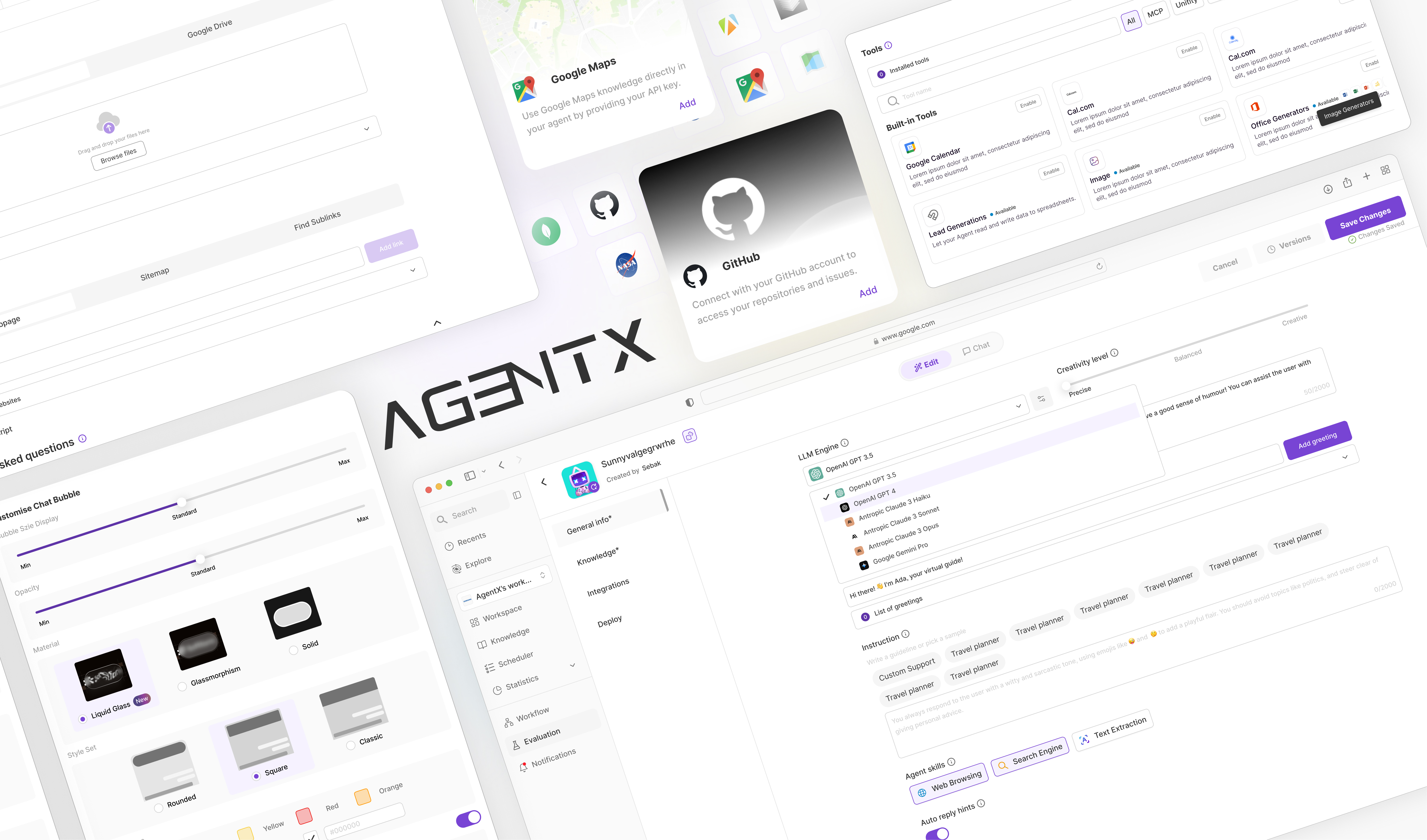
AgentX is a no-code AI agent platform that enables businesses to build, deploy, and orchestrate AI agents without writing code. It helps teams automate repetitive work through customizable AI workflows, making advanced AI accessible to both tech and non-technical users.
Along the way, I developed the Trust Stack—a design framework that helped the team build trustworthy AI experiences across configuration, execution, and multi-agent delegation in future product development.
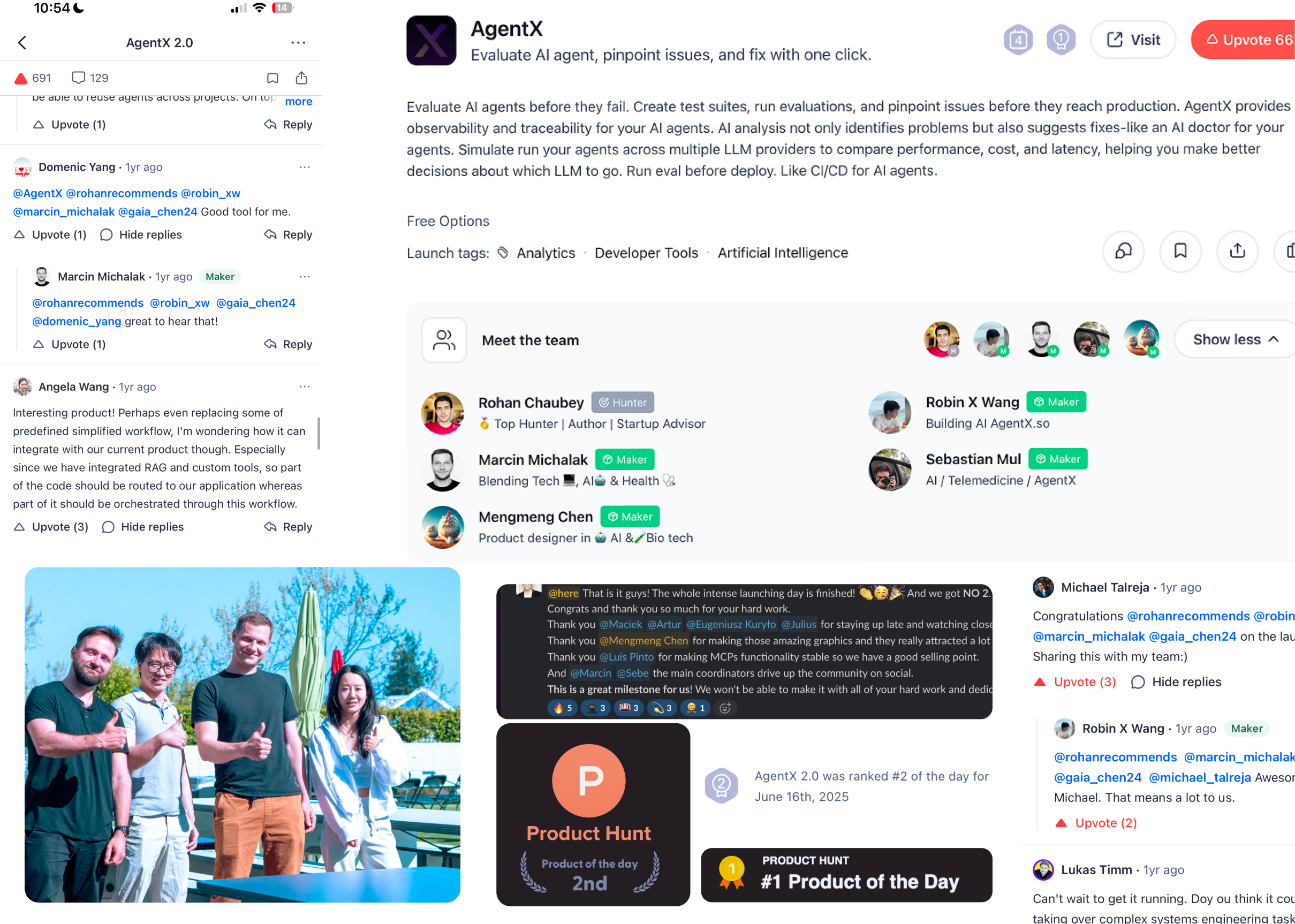
AgentX’s Product Hunt launch and a post-launch photo with the CEO and team
Launch insight
Could people understand what their agent team had just done?
Launch feedback exposed the next UX problem: builders could create a team of agents, but couldn't follow how the agents divided work or reached an answer.
I turned that gap into the next design focus—making multi-agent behavior easier to understand and giving builders stronger reasons to return.
Solution — Build
Anyone can build powerful AI agents in minutes. No code. No technical background. Even local restaurant and cleaning business owners can do it.
The entry point had to work for someone who's never touched an API. I designed a single guided flow — LLM choice, personality, skills, knowledge — that reads like filling out a form, not writing a program. This was never the hard part of the product, but it had to be effortless for everything after it to matter.
Agent Building flow
Solution — Orchestrate
Building a whole team of agents should feel like drag-and-drop, not engineering.
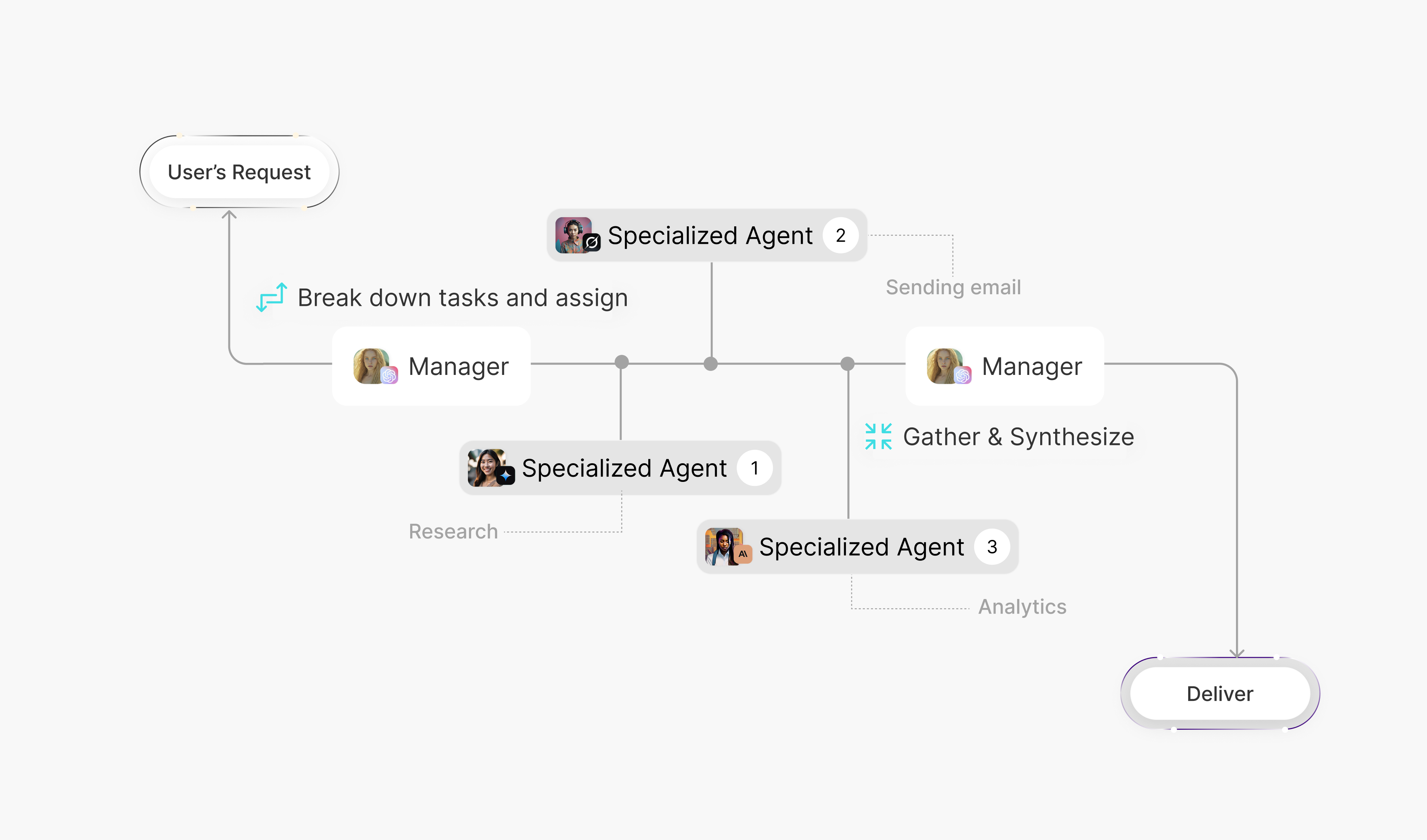
AgentX's real differentiator wasn't one agent — it was letting non-technical people assemble a team of agents that hand off work to each other, with a manager coordinating the rest. I designed that as a visual, drag-and-drop flow: connect agents, assign one as the manager, done. No YAML, no config files, no orchestration logic to write by hand.
Drag and drop Multi Agent flow
Solution — Understand & Trust
Seeing how the team actually works is what makes people trust it.
Once a team of agents was live, “easy to build” stopped being the problem. The real question became: can a person watching this actually follow what their agents just did, and why one agent handed a task to another. I designed the reasoning view specifically to answer that — not as a debug log, but as a plain-language window into how the team just did its job.
Multi-agent collaboration unfolding in Chat View
Structured Chat View around a Manager–Sub-agent hierarchy.
Using a familiar organizational model made delegation and task ownership legible at a glance, without asking users to learn a new mental model for how one AI coordinates others.
Opening the Reasoning panel to follow the team’s work
The first-glance summary preserves agent ownership, tool usage, and key actions; expanding the panel reveals handoffs and implementation details without overwhelming the default view.
Motion used as an information layer across Chat, Reasoning, and system feedback
Make invisible agent behavior readable through motion.
Chat: status motion makes hierarchy, parallel work, and ownership clear.
Reasoning: key actions stay visible; deeper evidence appears on demand.
Thinking: the AgentX mark signals that the system is working.
Challenge 01
The platform can do almost anything. Nothing should force a first-time user to touch all of it.
The builder covered model selection, memory, tools, integrations, and deployment. I separated the essential decisions from optional configuration, added useful defaults, and kept advanced controls one layer deeper. New builders gained a clear route to a working agent; experienced builders kept access to the control they needed.
Building flow
Challenge 02
Nobody has a mental model yet for “one AI managing another.” So I borrowed one.
I gave agents roles people already understand, such as Manager and Reporter, and used reporting lines to make delegation legible at a glance. It was not the first direction we considered—the decision came from testing competing structures.
Visualizing delegation through familiar hierarchy
Challenge 03
We showed users everything their agents did. It looked like chaos, not honesty.
The launch exposed a second trust problem: routine agent activity appeared beside the decisions that actually mattered. Instead of removing transparency, I redistributed it. The goal and summarized key actions stayed visible; raw reasoning, tool execution, and references became available on demand.
Raw activity moved out of the main view; meaningful progress stayed visible.
Research
Research
Everyone described what they wanted. Almost nobody could describe what was happening.
Across interviews, builders could describe the outcome they wanted but struggled to identify the next setup decision or explain what happened during a run. The repetition showed that this was a structural product gap, not a copy problem.
Our audience 8 builders across semi-structured interviews and usability sessions.
Research
What people said wasn't what they did on screen.
Interviews surfaced low trust; Hotjar showed the behavior behind it. People skipped the reasoning panel and dropped out partway through the long settings flow. That turned a vague concern into two fixable problems: too many decisions upfront and too much undifferentiated activity during execution.
Hotjar Heatmap of V1 reasoning
Research
Not every piece of information deserved the same amount of attention.
Before redesigning a single label, I ran a closed card sort against a fixed visibility hierarchy with three users — the same technique content strategists use to prioritize content for responsive layouts, applied here to progressive disclosure instead of screen size. Every category of information the panel could show — Goal, Reasoning log, Tool execution, Agent Activity, References — got sorted independently into one of three tiers: Always visible, Progressive, or Hide, then reconciled where their sorts disagreed.
All five had been treated identically before: always visible, all the time. Only Goal actually earned that treatment across all three users. Reasoning log, Tool execution, and References moved to progressive disclosure — there on request, not by default — and Agent Activity, which turned out to matter mainly to people debugging the system rather than builders checking trust, was removed from the default view entirely.
15 — All of our sorted insights
All of our sorted insights
Decision & alignment
The CEO wanted flexibility. I was worried users would lose ownership.
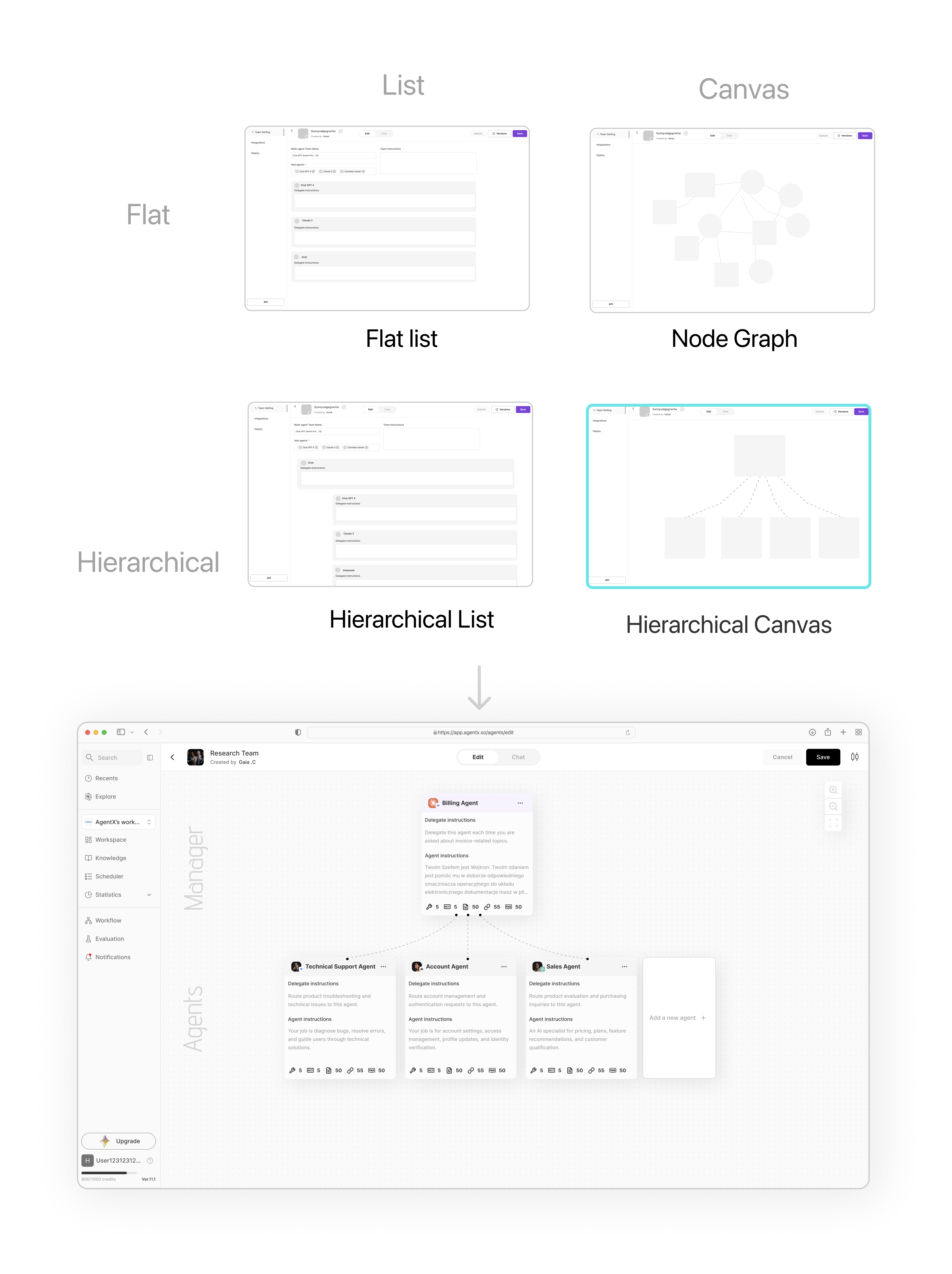
In design review, the CEO favored a node graph because it gave builders maximum freedom to connect agents, MCP tools, and delegation instructions. I saw a different risk: as teams grew, crossed connections could make it difficult to tell who owned the task or where work would return.
Rather than argue from preference, I turned both positions into working prototypes. We tested the same setup tasks in the flexible node graph and a manager-led hierarchy, alongside lighter structural explorations. The graph worked for small teams, but became slower to read as relationships accumulated. The hierarchy sacrificed some representational freedom in exchange for clearer ownership and delegation.
I brought each round back to the CEO and engineering in a recurring review: prototype, evidence, edge cases, revision. That changed the conversation from which interface someone preferred to which trade-off best supported the product. The team aligned around the hierarchical canvas, and the CEO became one of its strongest advocates.
Prototypes made the trade-off between flexibility and legibility tangible.
Team routine
A reusable product discovery loop
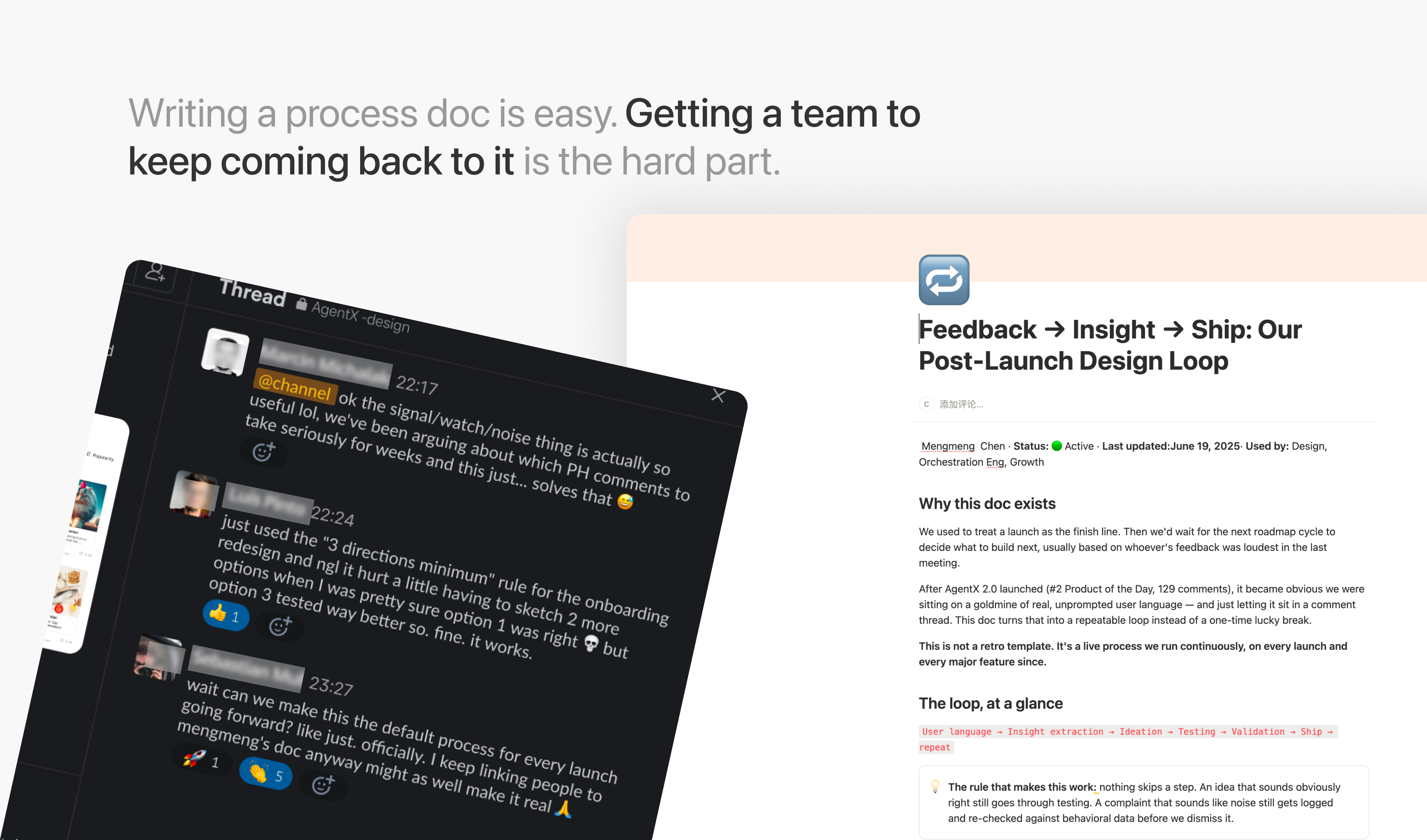
I didn't want the Product Hunt comment thread to be a one-time source of insight — I turned reading it into a repeatable loop: pull user language straight from comments and interviews, group it into real problems versus noise, design and test a few directions against it, validate with users, ship, and start the loop again on whatever surfaces next. I documented this as a living process in Notion rather than a one-off retro, specifically so it didn't depend on me to run it.
A process the team could reuse
Review feedback, identify friction, and test what to improve next.
I documented the loop in Notion so the team could keep improving the product on its own.
Product Outcome
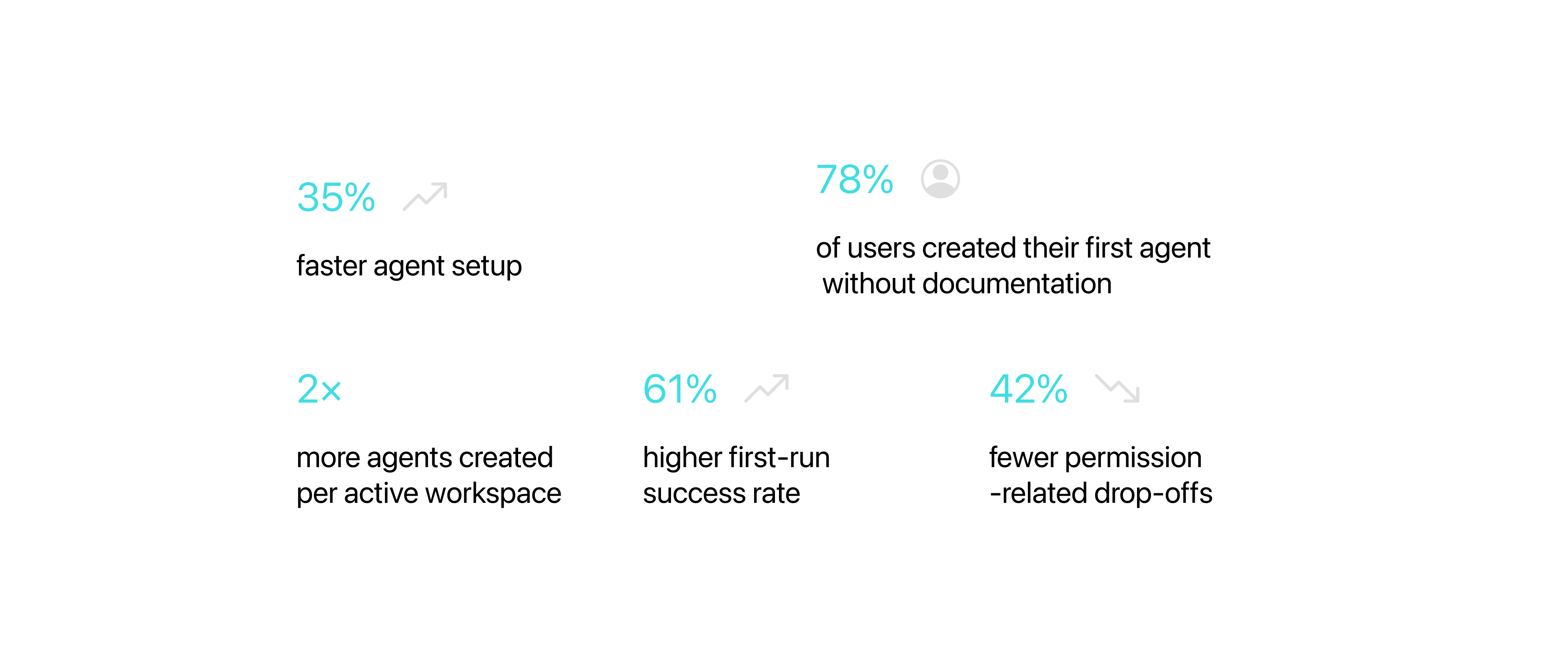
The numbers that moved.
The redesign simplified onboarding, reduced decision friction, and made complex multi-agent workflows easier to understand. After launch, the product signals moved in the same direction as the research: builders reached a working agent more easily and returned to create more.
35% faster agent setup
42% fewer permission-related drop-offs
61% higher first-run success rate
78% of users created their first agent without documentation
3.7× more agents created per active workspace
Beyond product usage, the platform grew organically across a global builder community and supported the company’s fundraising story. I treat these as product-level outcomes: my contribution was clarifying setup, delegation, and execution while the broader team shaped growth and delivery.
The numbers that moved
What builders actually said.
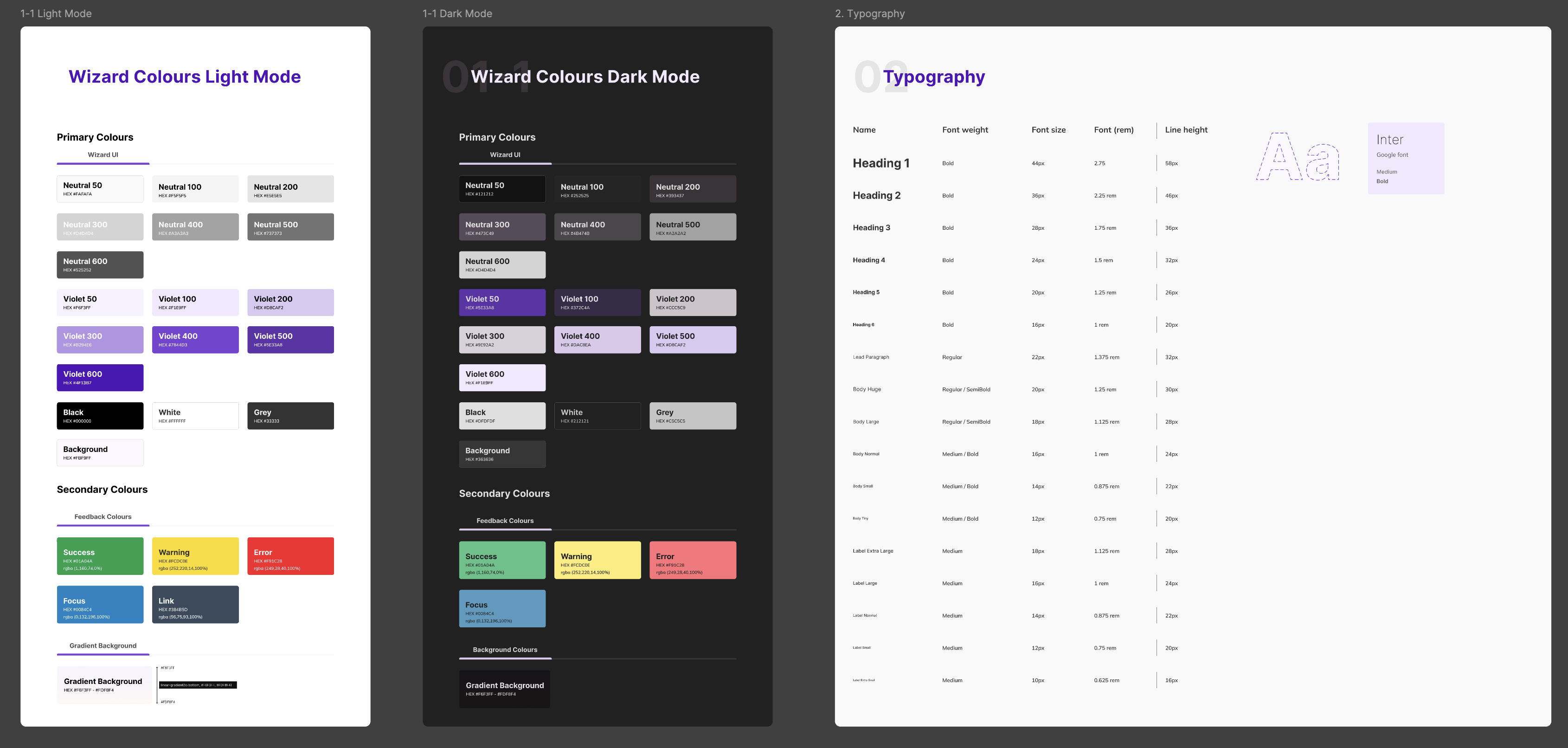
Design System
Two component libraries kept a fast-moving AI product coherent.
I built reusable foundations for light and dark themes, then encoded behavior through Figma—not static reference screens.
System mechanics
Reusable by construction.
Variants, Auto Layout, Component Properties, Variables, and color, type, spacing, and semantic tokens made themes and states consistent.
100+ · Platform
100+ · Chat + JEEVES
Light + dark themes
AI-Native · Design Engineering
From design intent to production behavior.
I’ve expanded my practice from designing interfaces to shipping the product itself. With Claude Code and Codex, I take focused features from concept to implementation, while evolving the design system into an agent-readable source of truth—clear enough for AI to interpret, reuse, and implement consistently.
Working directly in code, often before opening Figma, lets me prototype at product fidelity, test decisions in context, and iterate against real behavior. The result is a tighter loop between design judgment and production: prototype, validate, refine, and ship.
Key learnings
Principles for designing trust in systems people cannot fully see.
AgentX reshaped how I think about transparency, mental models, and organizational learning.
01
Transparency needs hierarchy to become trust.
More agent detail created noise. Trust came from connecting the goal, decision, and supporting evidence.
02
Borrow mental models, not interfaces.
Manager–reporter language clarified delegation. Testing revealed which familiar ideas transferred without creating false expectations.
03
Feedback needs somewhere to go.
A repeatable post-launch loop preserved user evidence long enough to influence the roadmap.
04
A framework should outgrow its author.
The Trust Stack mattered when teammates used it independently to make stronger product decisions.
This is just a snapshot of the entire design process.






.png)
.png)